


BIMB Mobile & BIMB Web Now for Ages 12–17
BIMB Mobile & BIMB Web Now for Ages 12–17
Eligibility criteria

Note
If you’ve previously signed the Indemnity Form for Bank Islam Debit Card-i, you will still need to visit the branch again for BIMB Mobile & BIMB Web Lite version access.
Start managing your money, your way

Funds Transfer




How to register?
Sign the Indemnity Form for BIMB Mobile/BIMB Web access.
Download the BIMB Mobile App or log on to BIMB Web.
Enter your bank account or debit card number and complete the details required
Activate online access:
- If you have a Debit Card-i: Activate via ATM
- If you don’t have a Debit Card-i: Activate at the branch
Wait for the 12-hour cooling-off period to complete.
Transaction Limits
For your security, BIMB Mobile & BIMB Web Lite have a combined daily transaction limit of RM300, which covers:
- Fund transfers
- Bill payments
- Other monetary activities
Frequently asked questions
- New individual customers (who do not have any existing accounts with Bank Islam) can open an account online via the BIMB Mobile app (version 1.9.1 and above).Before starting the onboarding journey, please ensure you have:
- Your MyKad; and
- An existing account with another bank to make the initial deposit via DuitNow Online Banking/Wallets (OBW).
- Existing individual customers may also open an additional account online through the BIMB Mobile.
If you're a new customer, simply tap on "Open a Bank Islam Account" on the BIMB Mobile app's welcome screen to begin the account opening process. After your account is successfully opened, you may log in to BIMB Mobile or BIMB Web using the username and password you created during registration.
If you're an existing customer, you can also log in to BIMB Mobile or BIMB Web, then go to Account > Open New Account from the dashboard.
For a detailed step-by-step guide, visit: https://bimb.com/how-to-use.
- For New Customers: Your MyKad is Currently, other identifications cards such as MyTentera, MyKid, MyPR, MyKAS and MyPolis are not accepted.
- For Existing Customer: No documents are required.
- For New Customers: You must have an existing account with another bank. The initial deposit/placement must be transferred from your own account via DuitNow Online Banking/Wallets (OBW) within thirty (30) days from the account creation date. Deposits from third-party or non-matching-name accounts will be rejected.
- For Existing Customer: You can make the initial deposit only via own account transfer from your existing Bank Islam account within thirty (30) days from the account creation date.
- For New Customers: No, the initial deposit / placement must come from your own account with another bank. Transfers will be rejected if the account's name differs from your name on MyKad.
- For Existing Customer: You can make the initial deposit only via own account transfer from your existing Bank Islam account.
- For New Customers: You will be required to enter your mobile number during the account opening process. A 6-digit TAC (Transaction Authorization Code) will be sent to the registered mobile number for verification.
- For Existing Customers: You will need to authenticate using BIMB Secure in BIMB Mobile to authorise the initial deposit/placement transaction.
-
Yes, you can request for a debit card in BIMB Mobile and it will be mailed to your delivery address. For existing customers specifically, you may also link to your existing debit card.
If you need to replace your card (due to it being faulty, expired, etc), you can log in to BIMB Mobile or BIMB Web and select 'Debit Card Maintenance'. Please note that there is a fee for replacing a lost, stolen or damaged debit card. Please refer to www.bankislam.com for the relevant fees and charges.
For instant assistance, connect with Chatbot Adam at www.bimb.com. You can also call our Contact Center at 03 2690 0900 or email us at contactcenter@bankislam.com.my.
You can retry the deposit transaction within thirty (30) days from the account creation date. If you still face issues, connect with Chatbot Adam at www.bimb.com. You can also call our Contact Center at 03 2690 0900 or email us at contactcenter@bankislam.com.my for assistance.
For New Customers: Once the initial deposit has been made and your account opening process is successful, a 12-hour cooling-off period will apply from the time of that deposit, then you may only proceed with transactions.
For Existing Customers (with existing online banking access): Yes, you can perform transactions immediately after your account has been successfully opened.
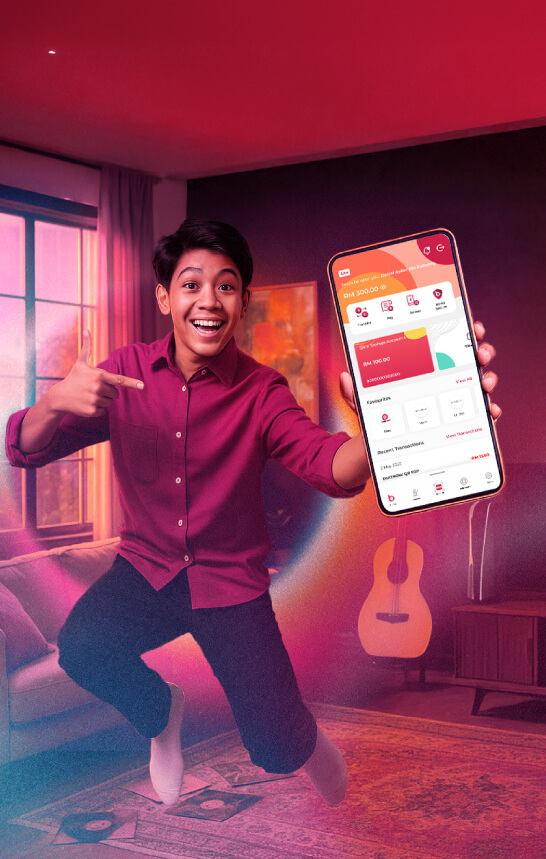
Looking to open a bank account for your teenager? With the Bank Islam Lite Version, parents can easily open a savings account for children aged 12 to 17 years old. This account is designed to encourage responsible money management and promote smart saving habits from a young age. Whether you’re planning for your child’s allowance, school expenses, or future savings, Lite makes it simple, secure, and convenient to get started.